Keep Siebel CRM healthy without the war room.
CoreOps watches every host, Siebel server and component, raises the alert, takes you to the evidence and lets you fix it as a safe, audited job, from the browser or the command line. No agents on your servers; installed in minutes on one Linux VM.
Every feature in five minutes
Monitoring, alerts, log investigation, staged operations, orchestration, vault, roles and single sign-on for Siebel CRM, in one console. Five minutes, every feature.
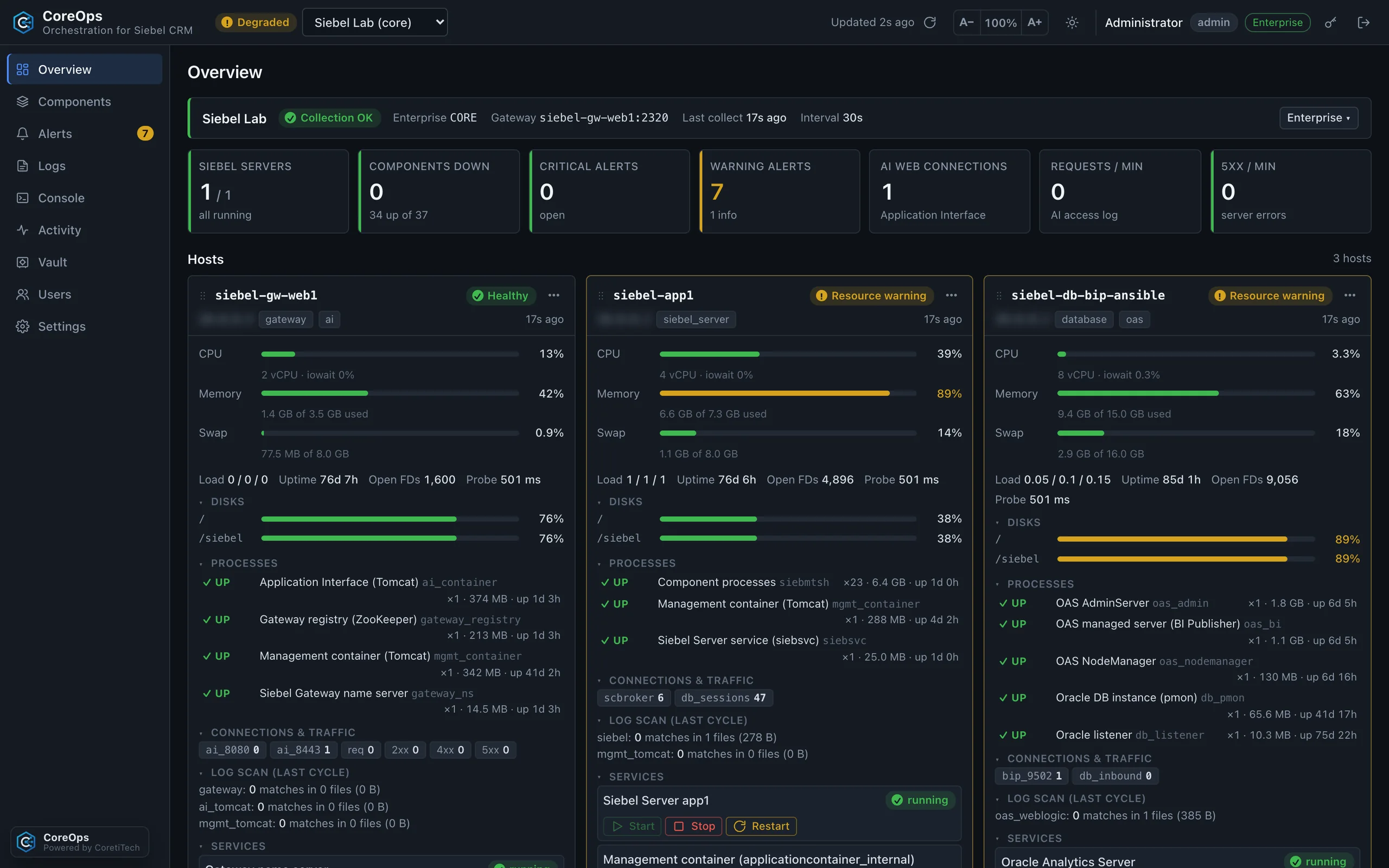
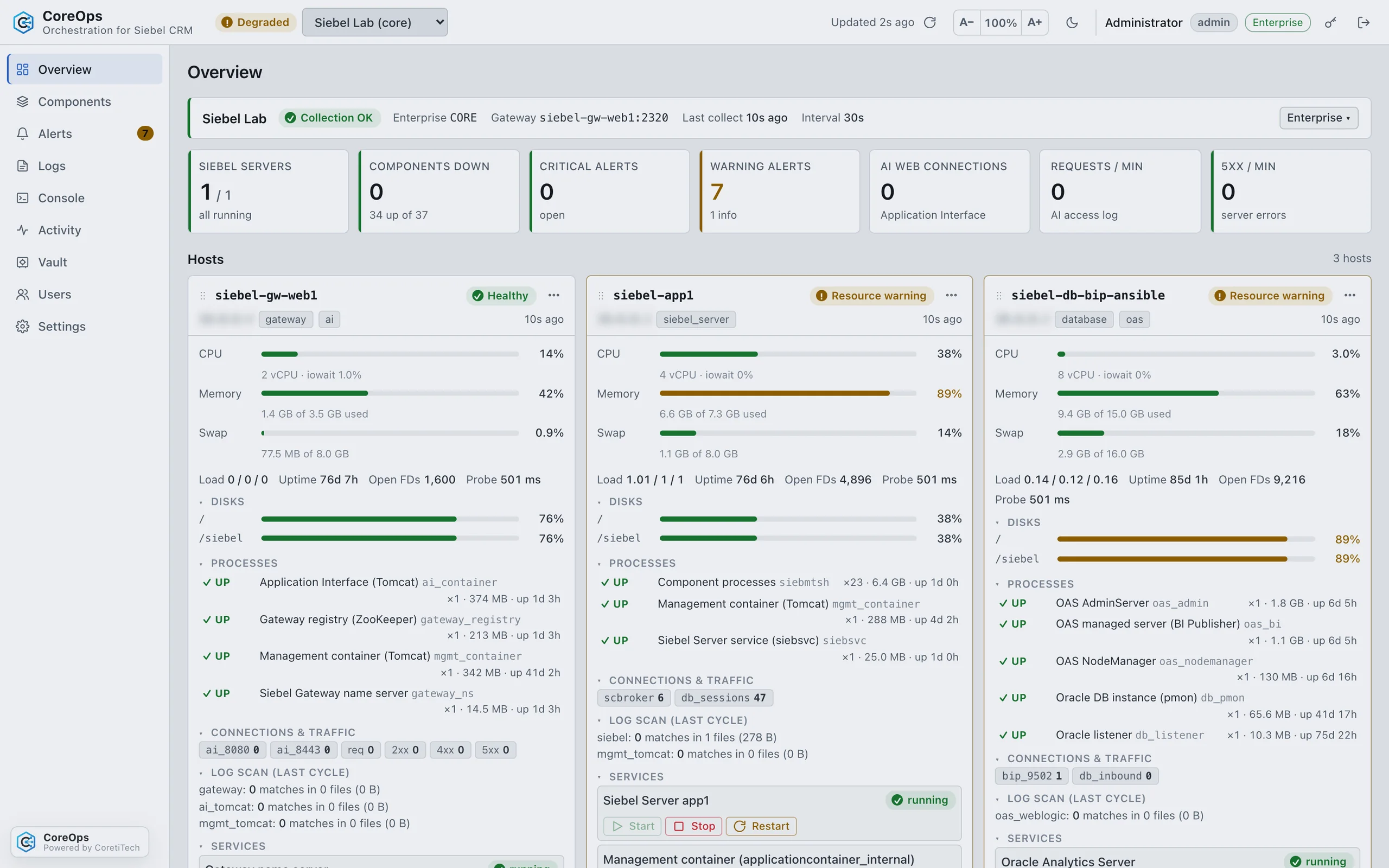
See every host, Siebel server and component live, and get from an alert to the evidence in one click.
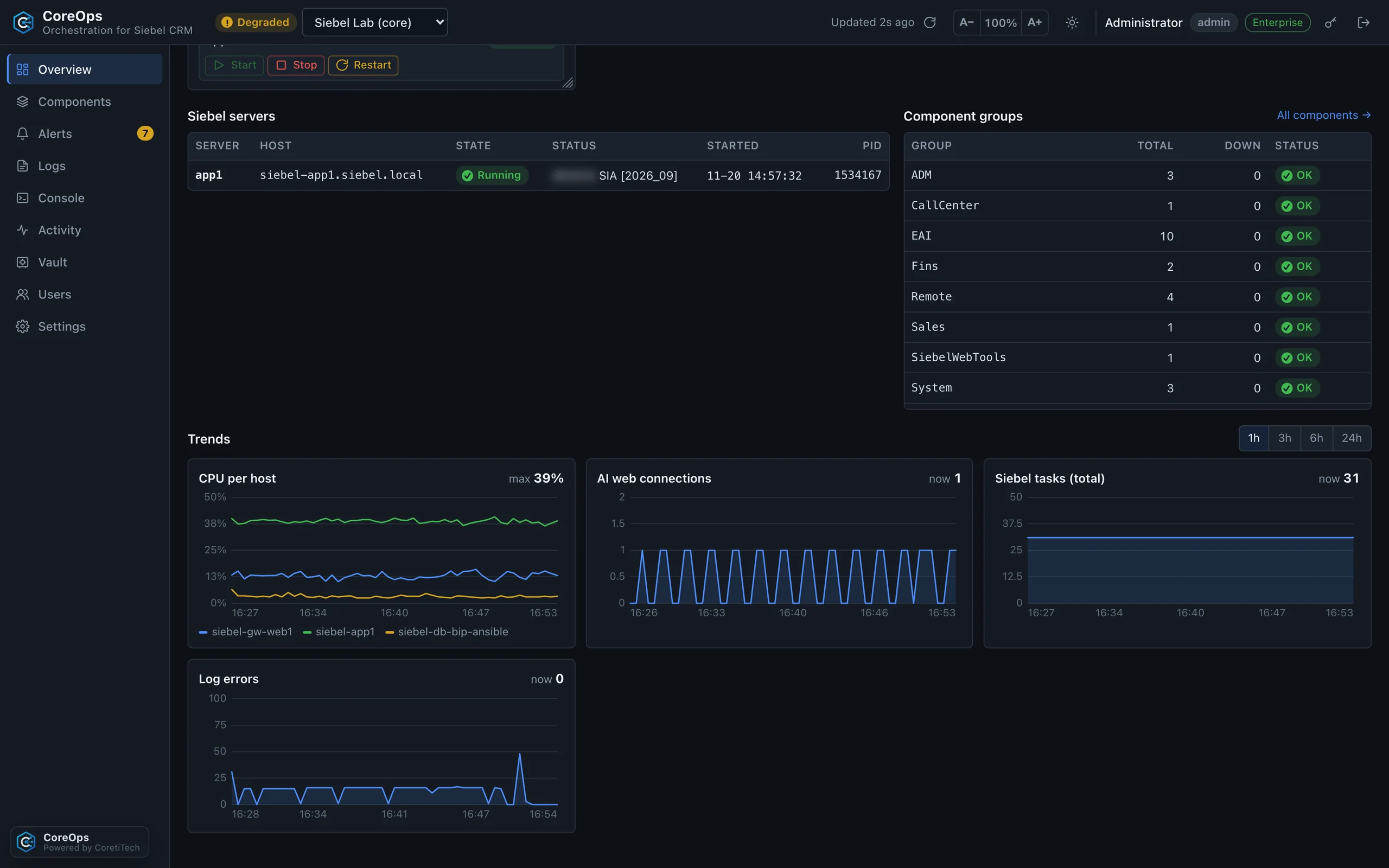
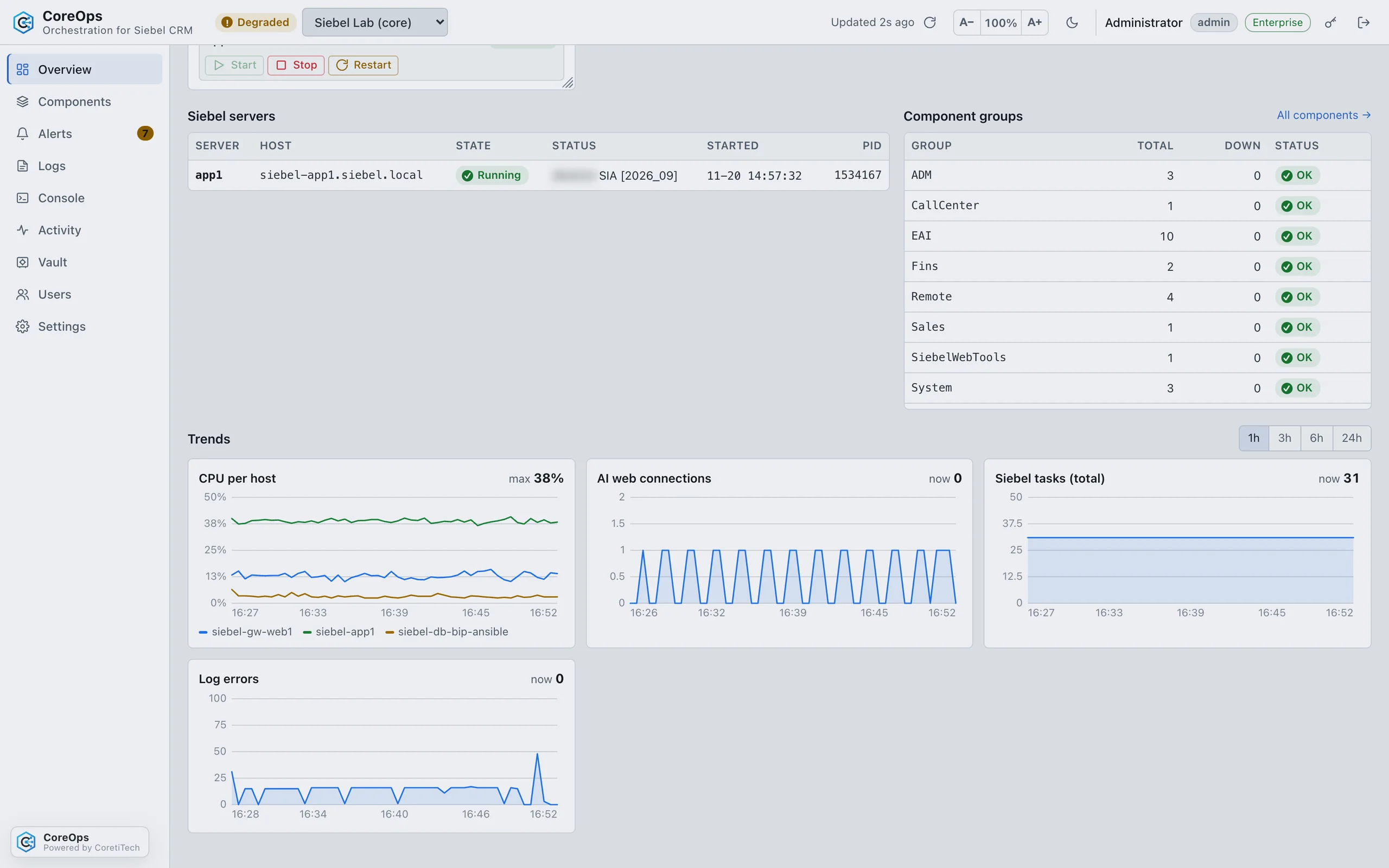
- OverviewHealth and KPIs at a glance: Siebel servers, components, alerts, Application Interface traffic and errors.
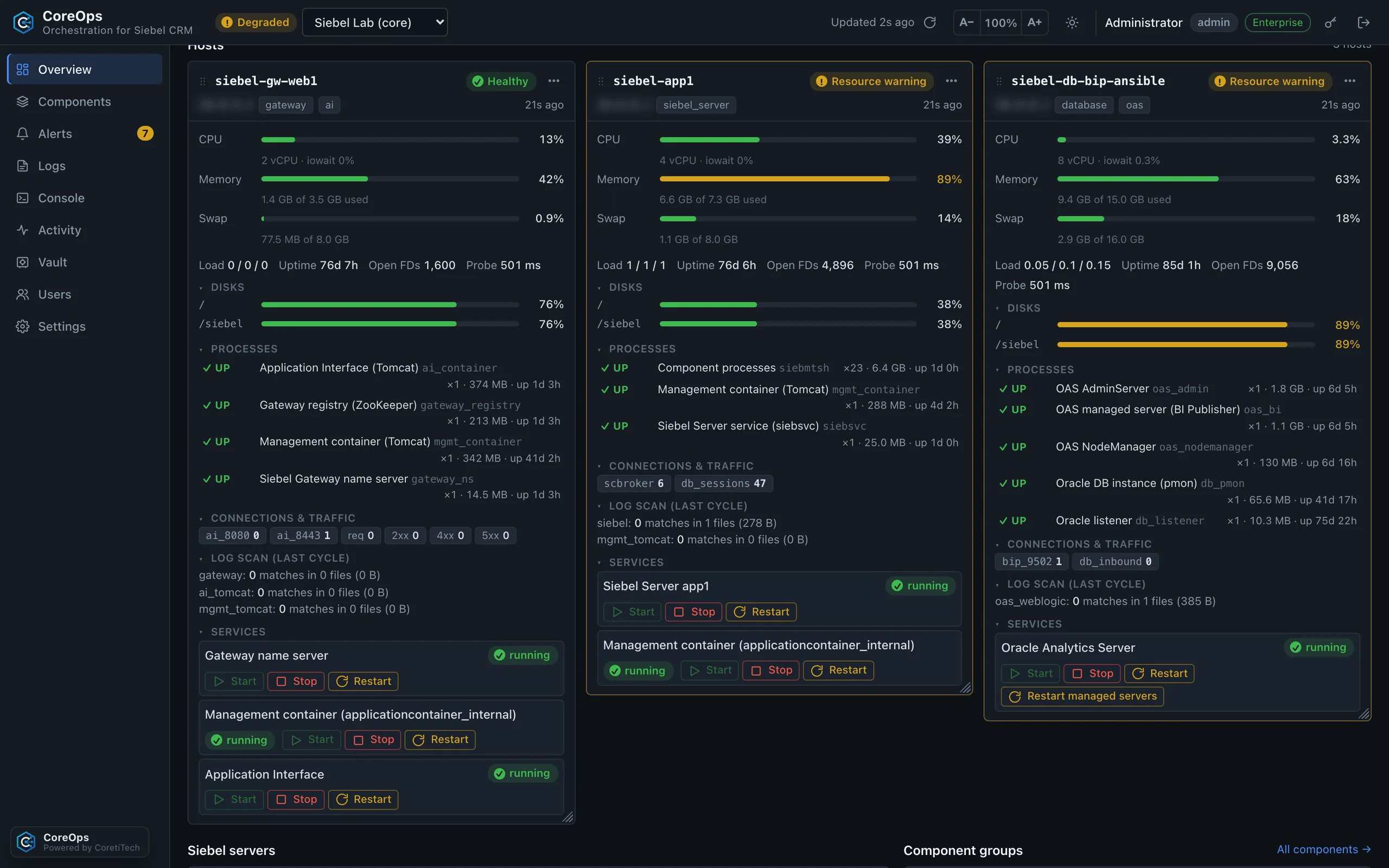
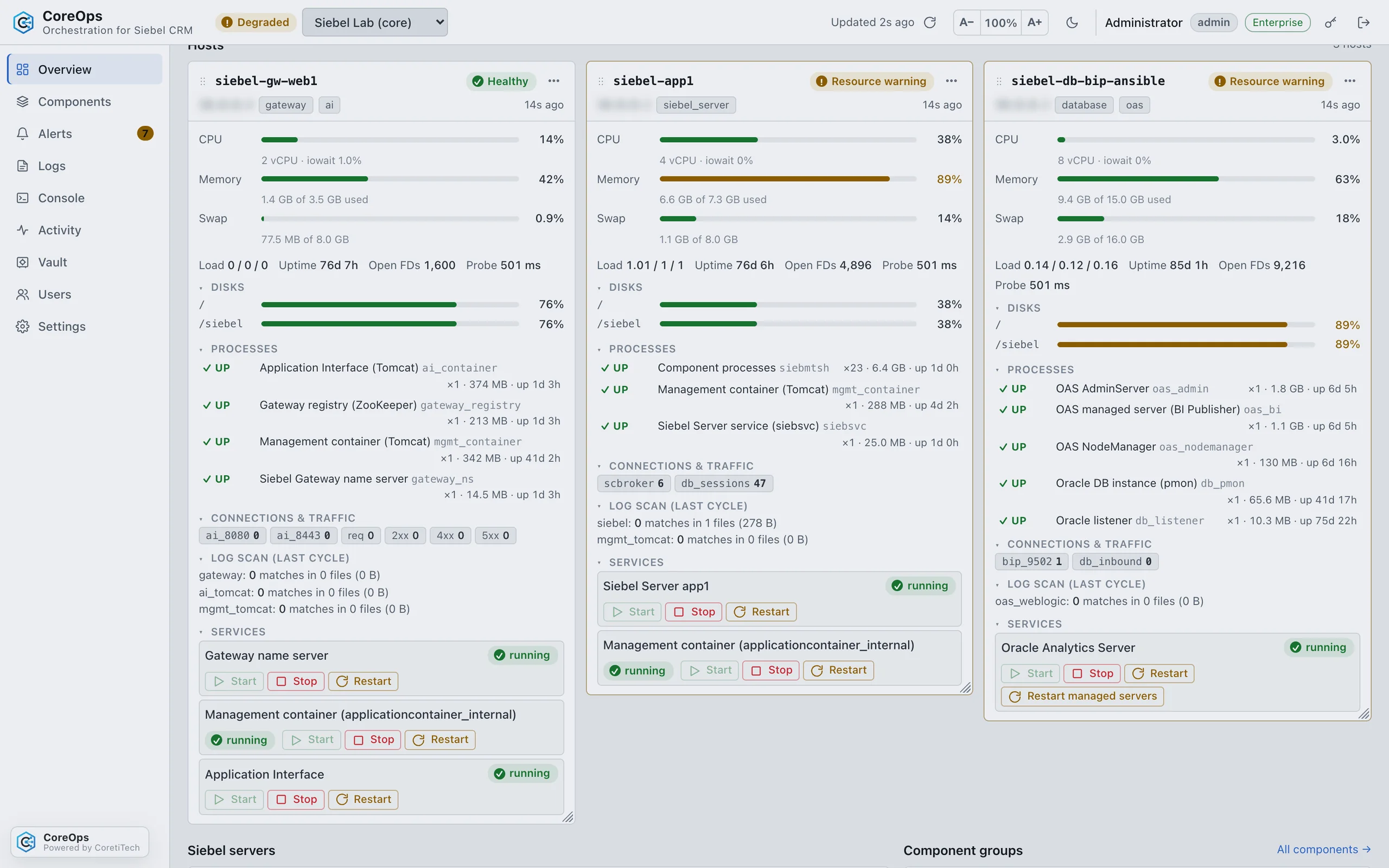
- Host cardsA live card per host with CPU, memory, disks, Siebel processes, connections and the last log scan.
- Servers, groups and trendsSiebel servers and component groups with charts for the last hour, day or week.
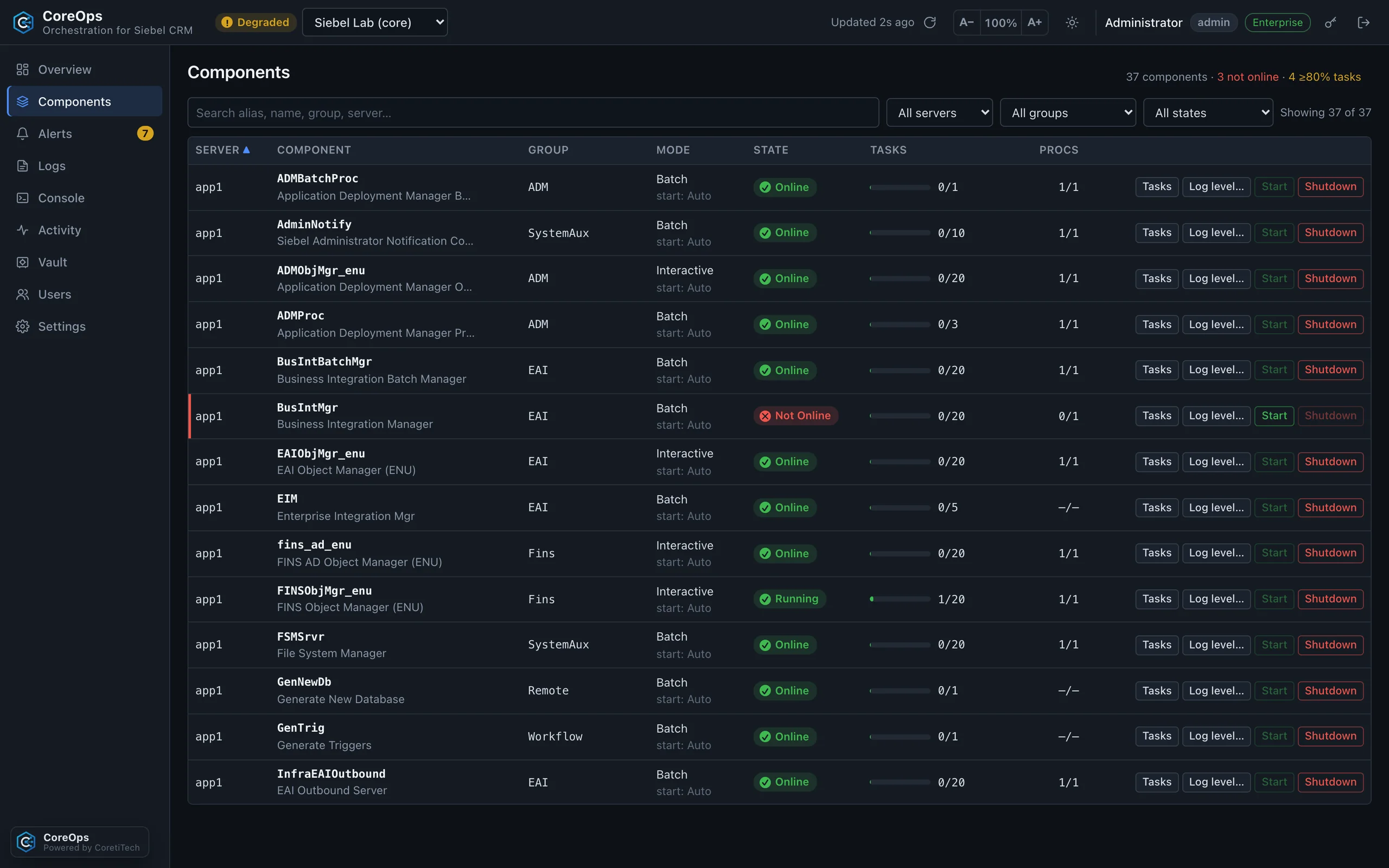
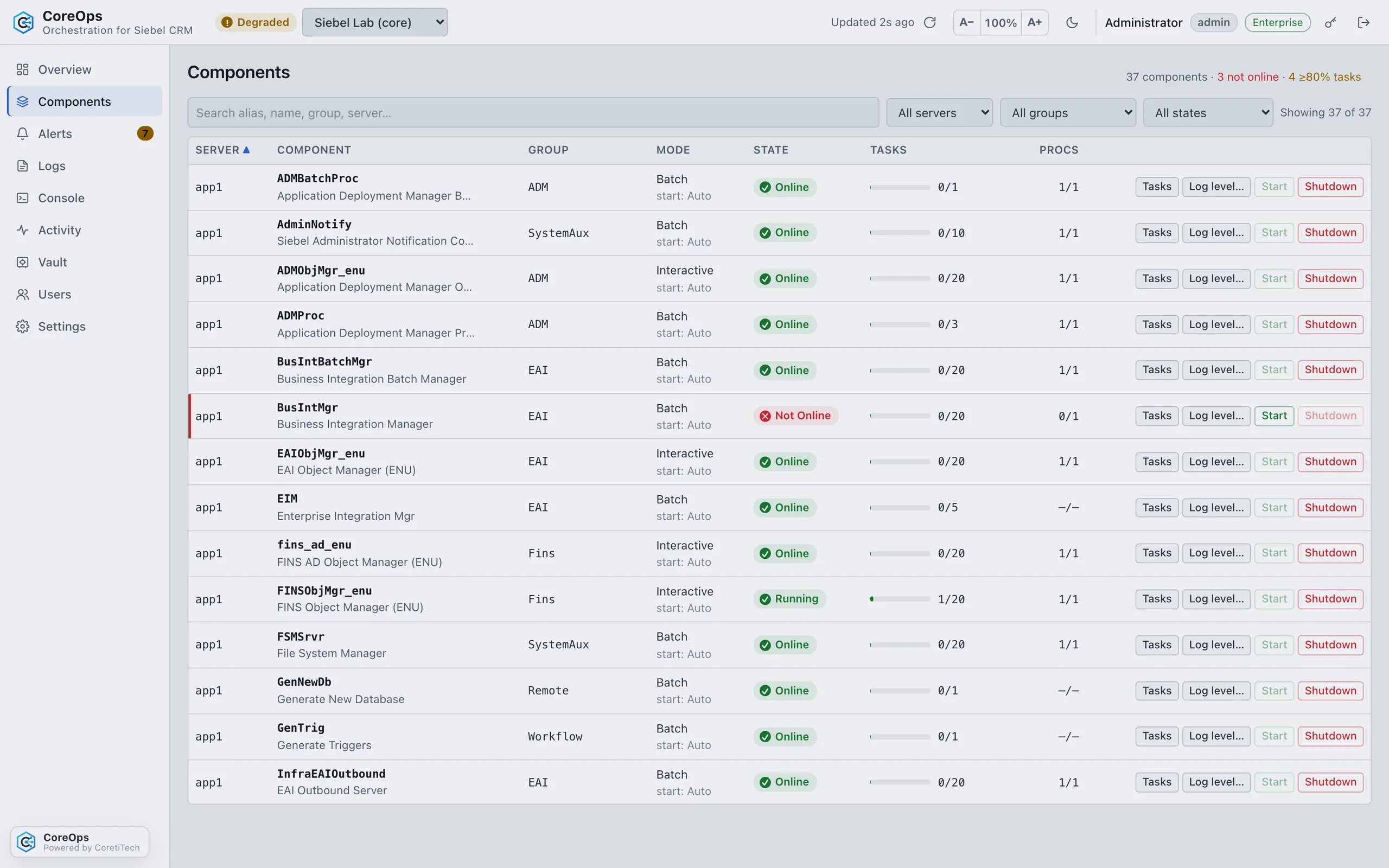
- Components and tasksFilter by server, group and state, see task utilisation and list the running tasks.
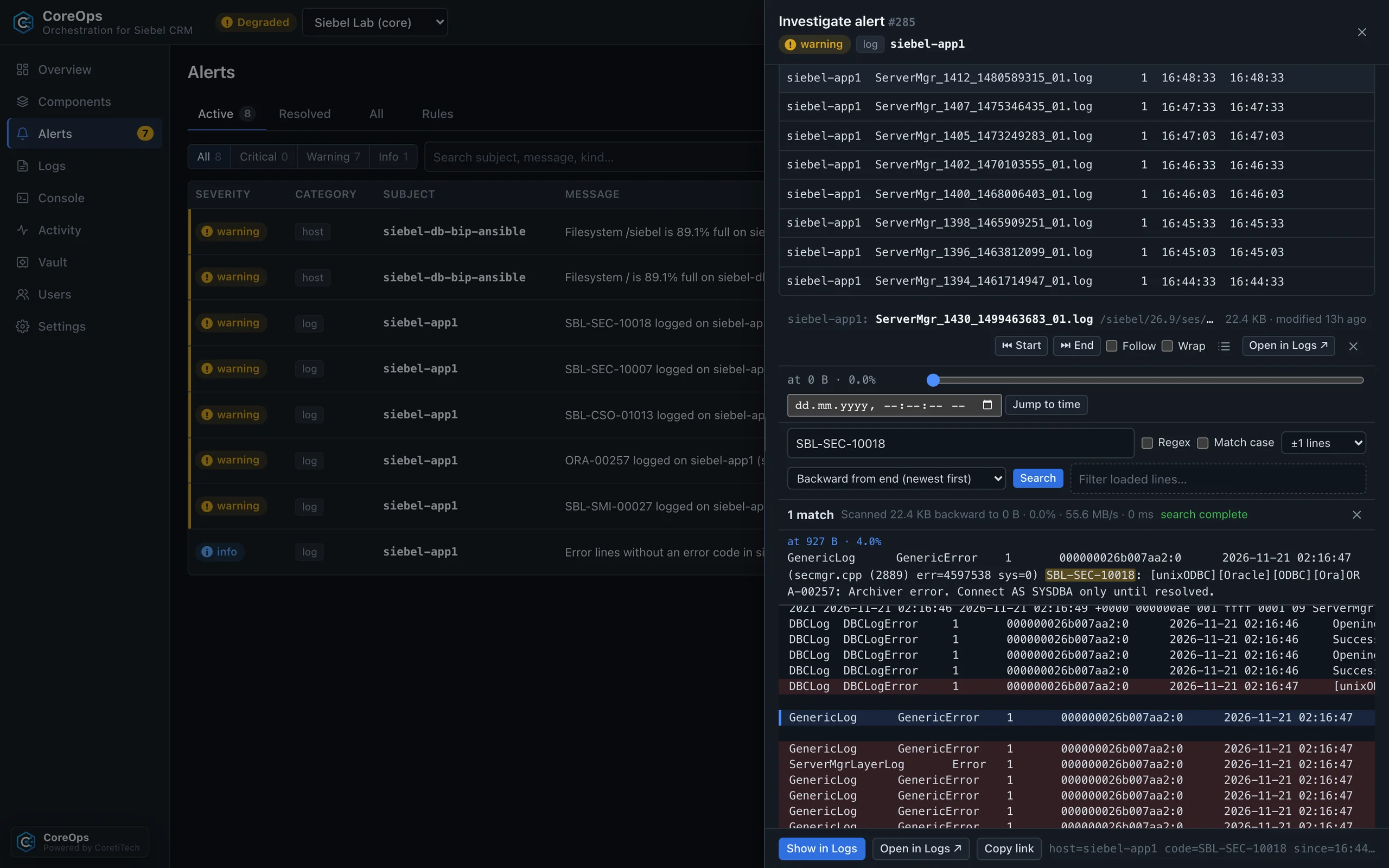
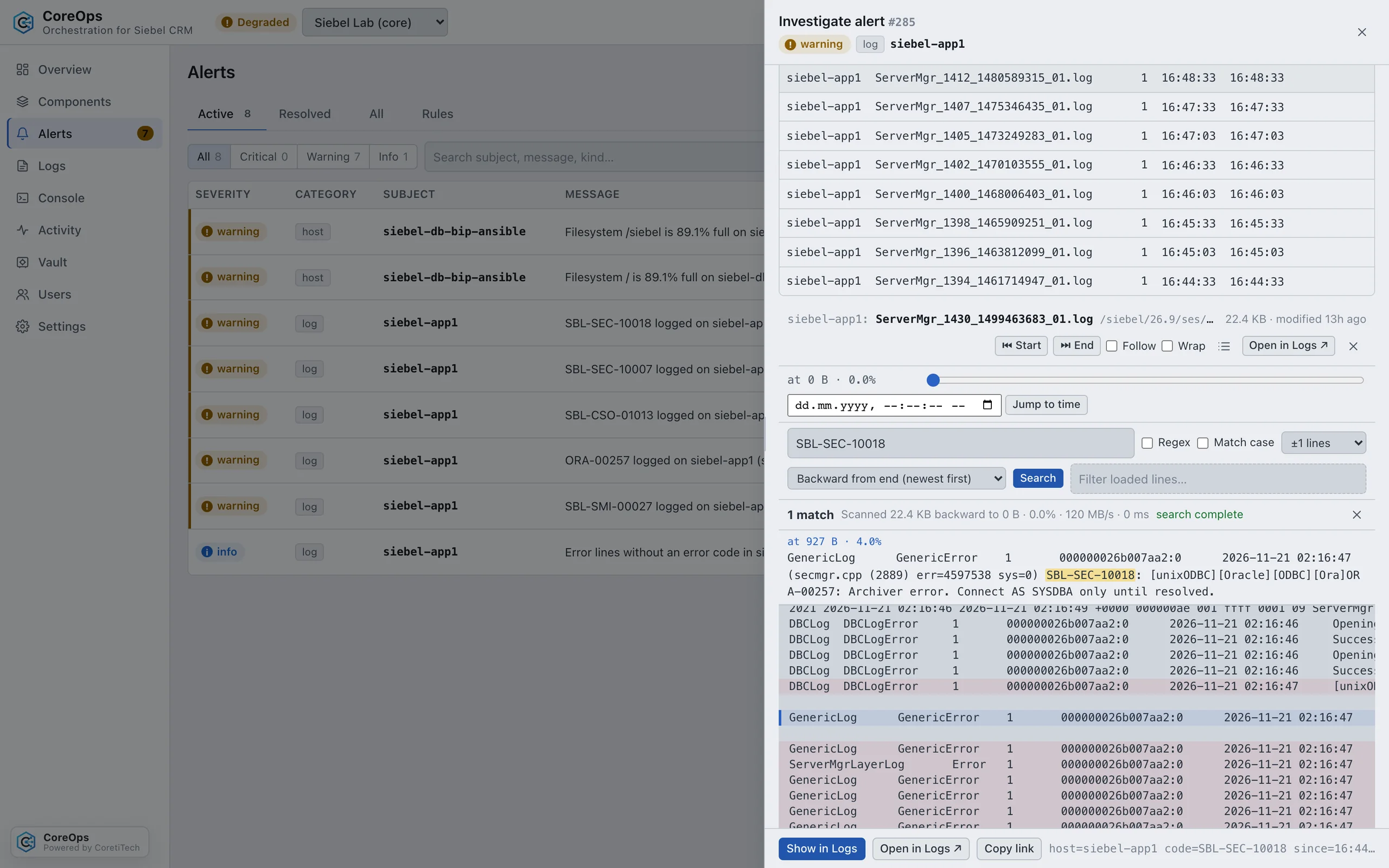
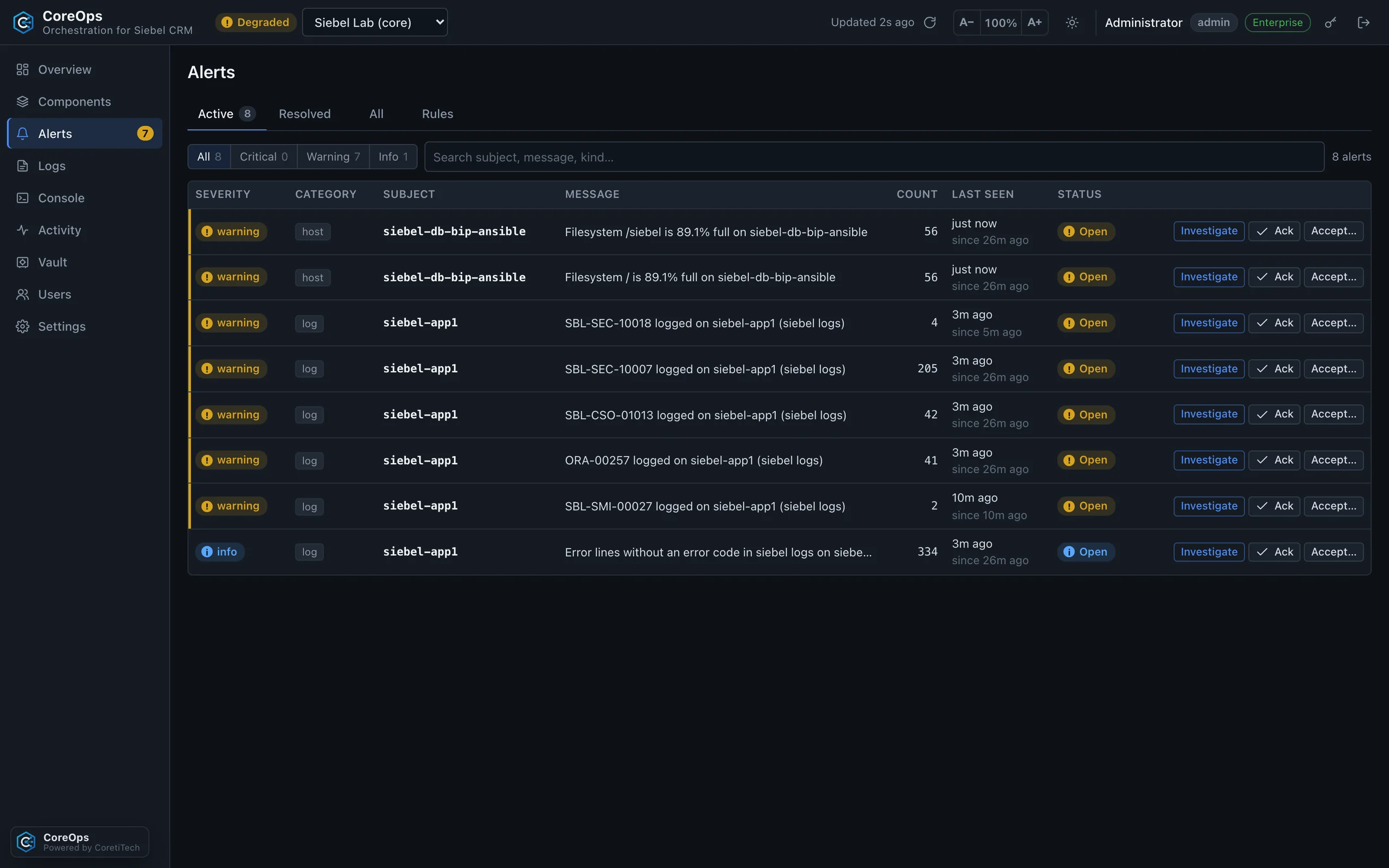
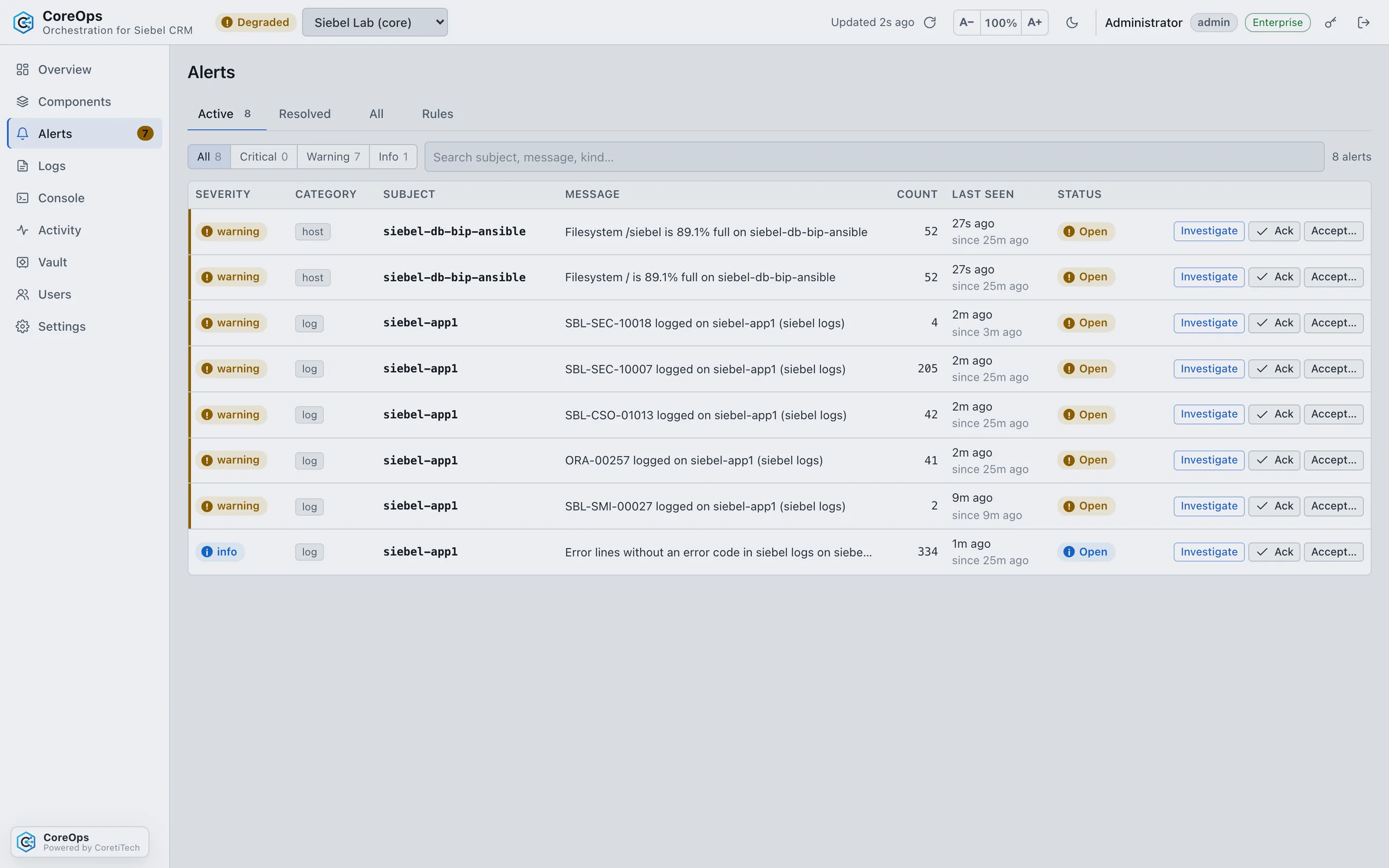
- AlertsSeverity, history and acknowledgement. A built-in catalogue of harmless Siebel errors keeps the list meaningful.
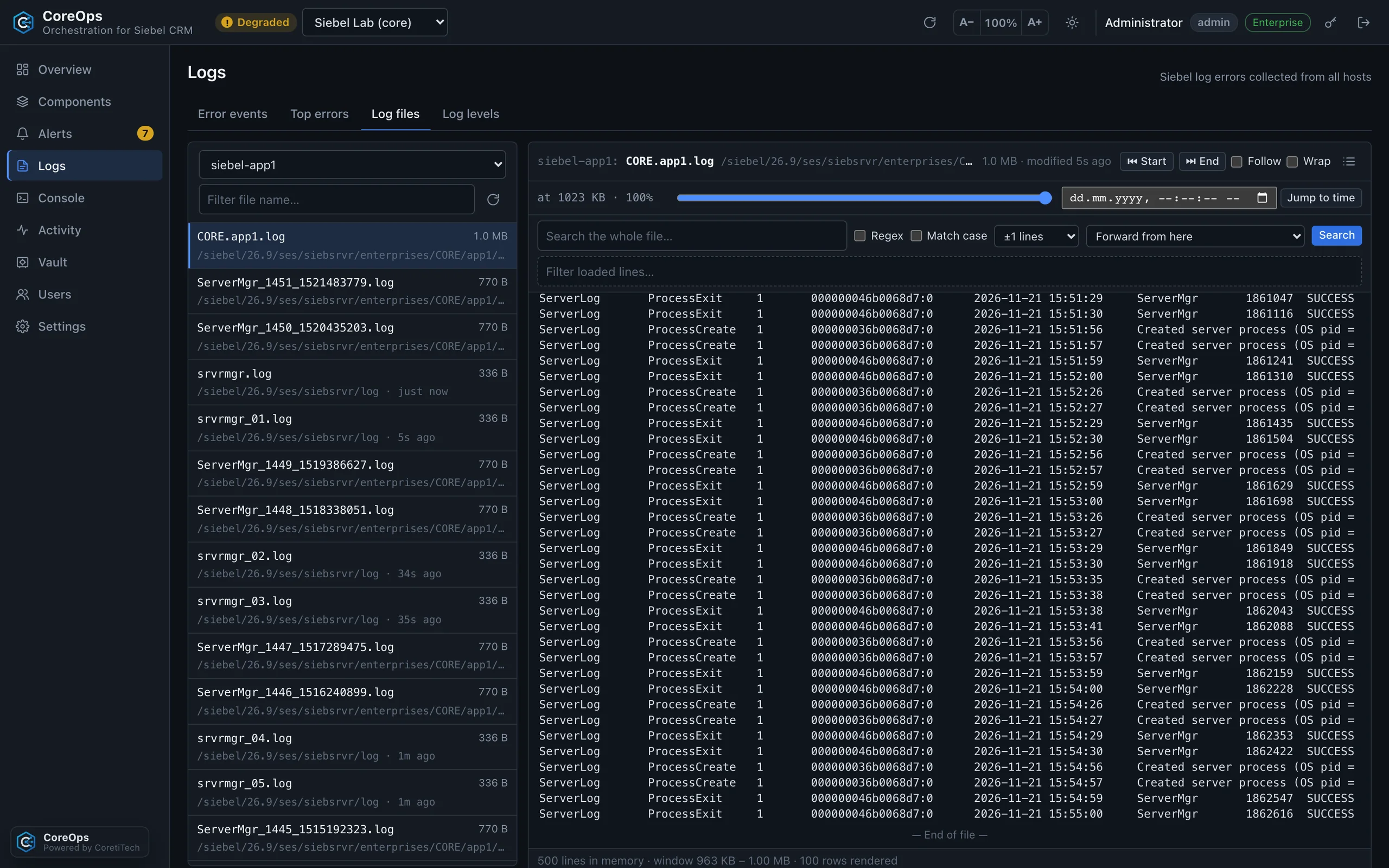
- InvestigateOne click from an alert to the right log files on the right host, filtered to the moment it happened.
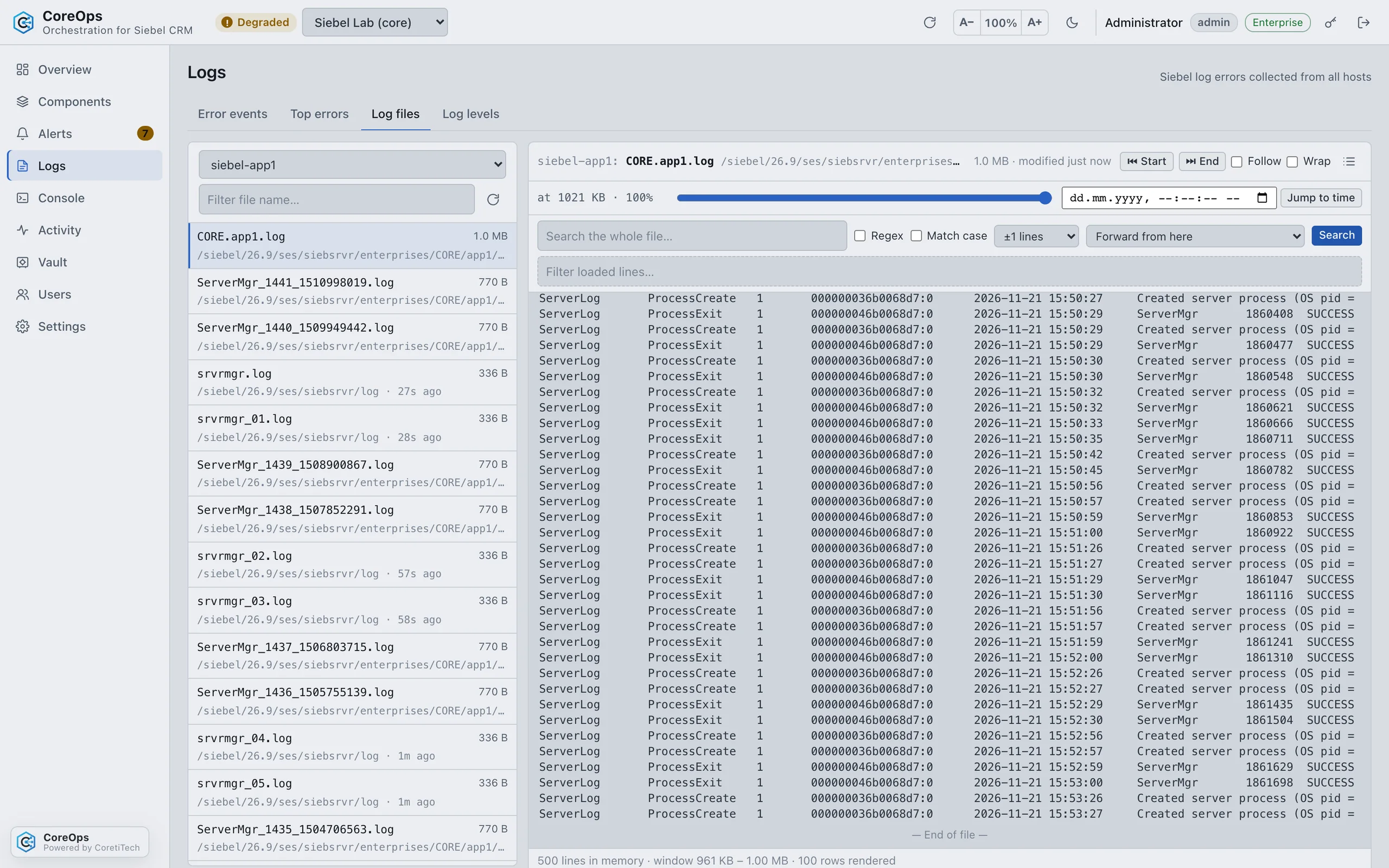
- Log viewer for large filesReads gigabyte-sized Siebel, WebLogic and access logs in windows and searches the whole file on the server.
- Custom log foldersEnterpriseLogs outside Oracle’s standard folders? Set the folders per environment or per server, with wildcards. Test connection confirms them.
Fix it as a safe, audited job, from the browser or the command line.
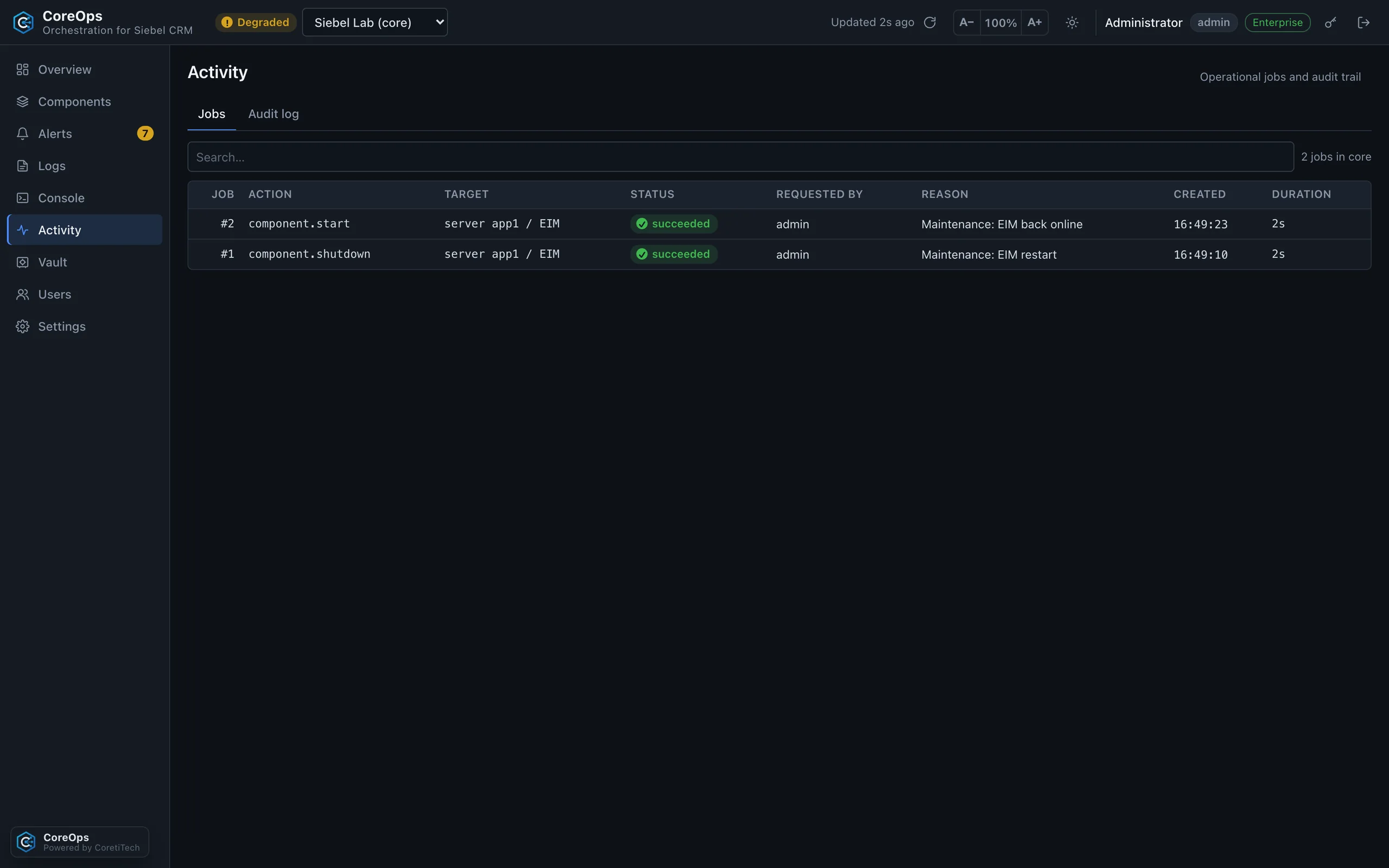
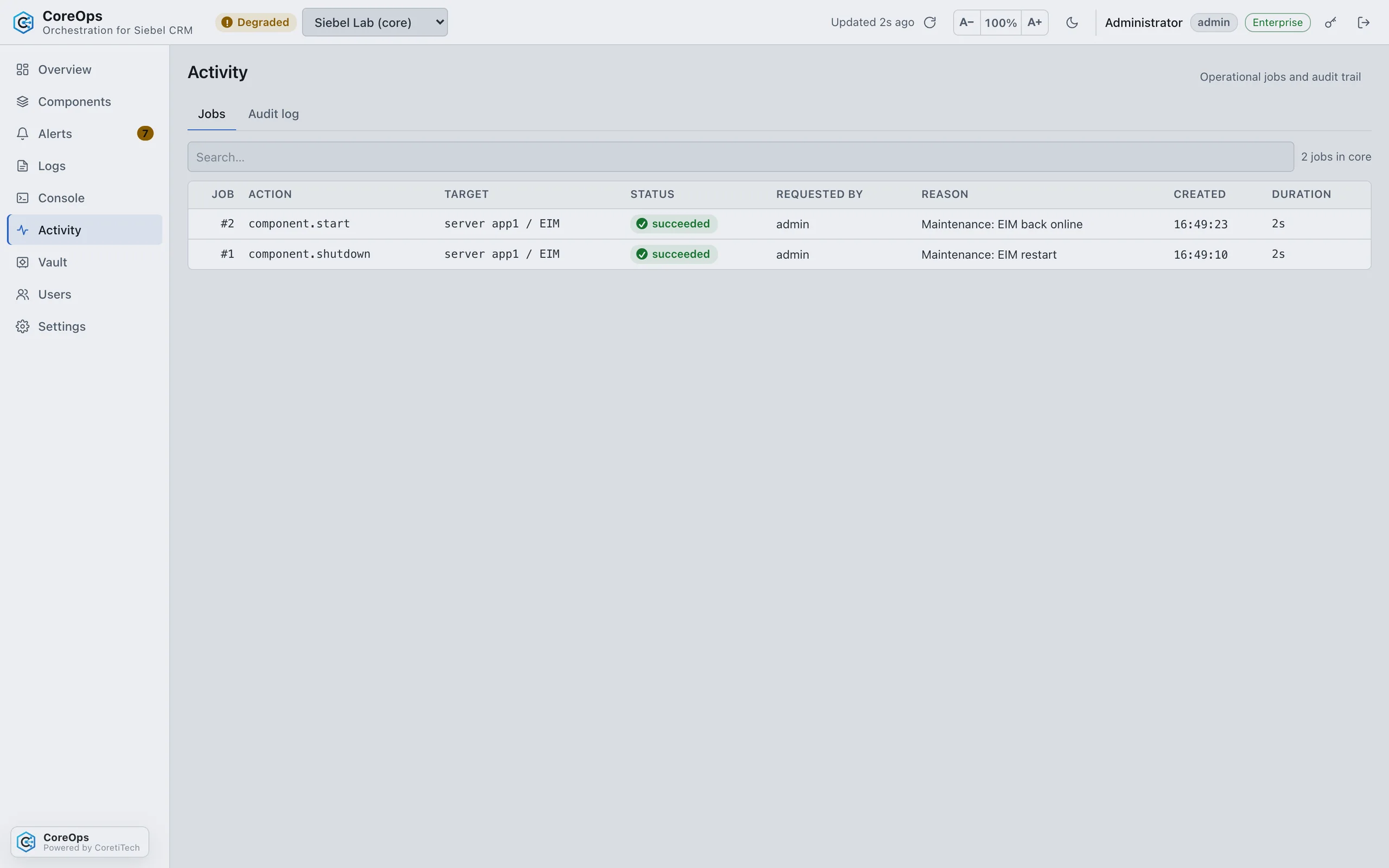
- Staged, audited jobsStart and stop components; start, stop and restart Siebel Server, Gateway, Application Interface and the management container. Every job carries a reason and shows its steps live.
- Whole-enterprise orchestrationEnterpriseShutdown, startup and restart in the recommended order, Oracle Analytics Server on one or many nodes, and component bootstrap.
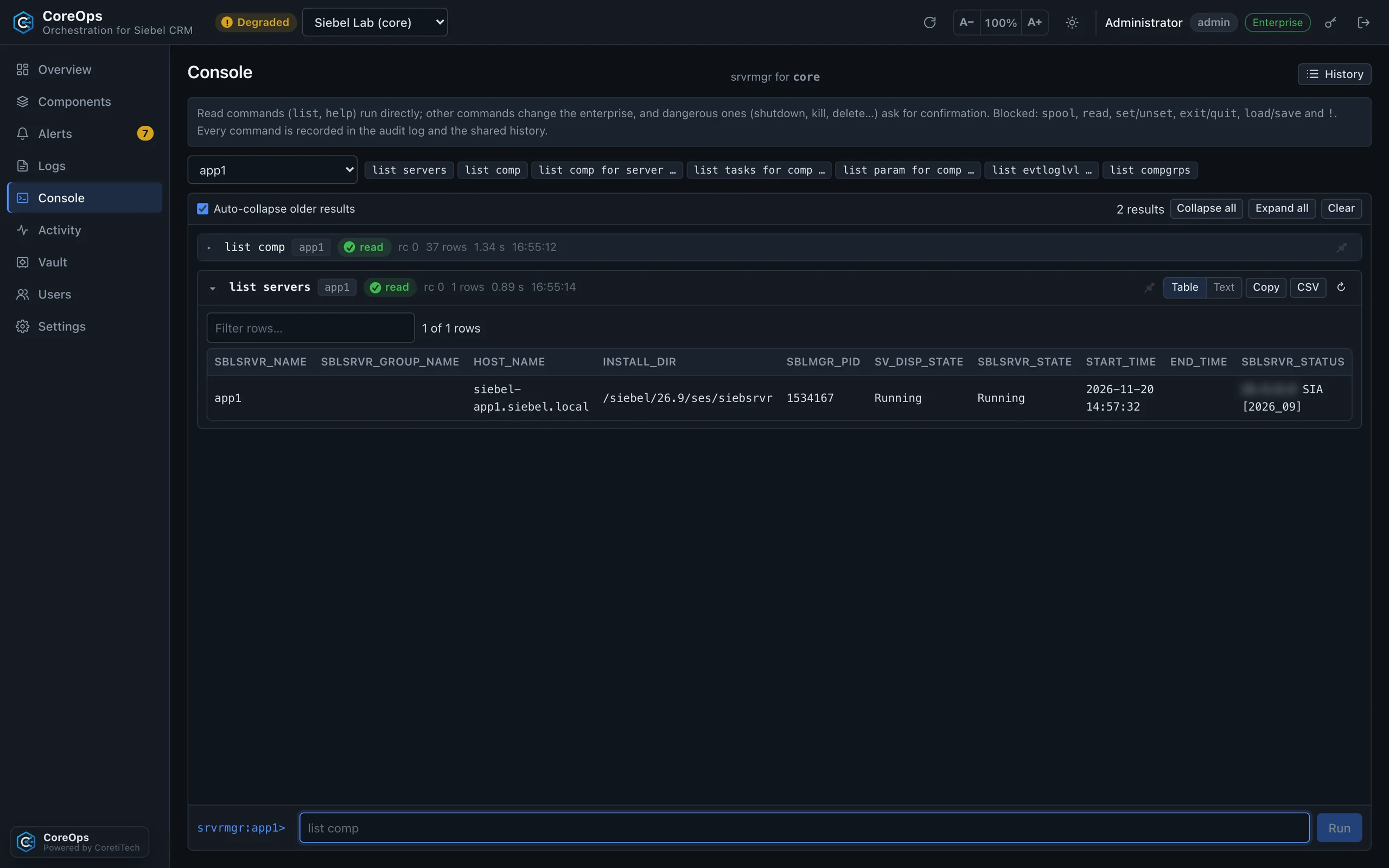
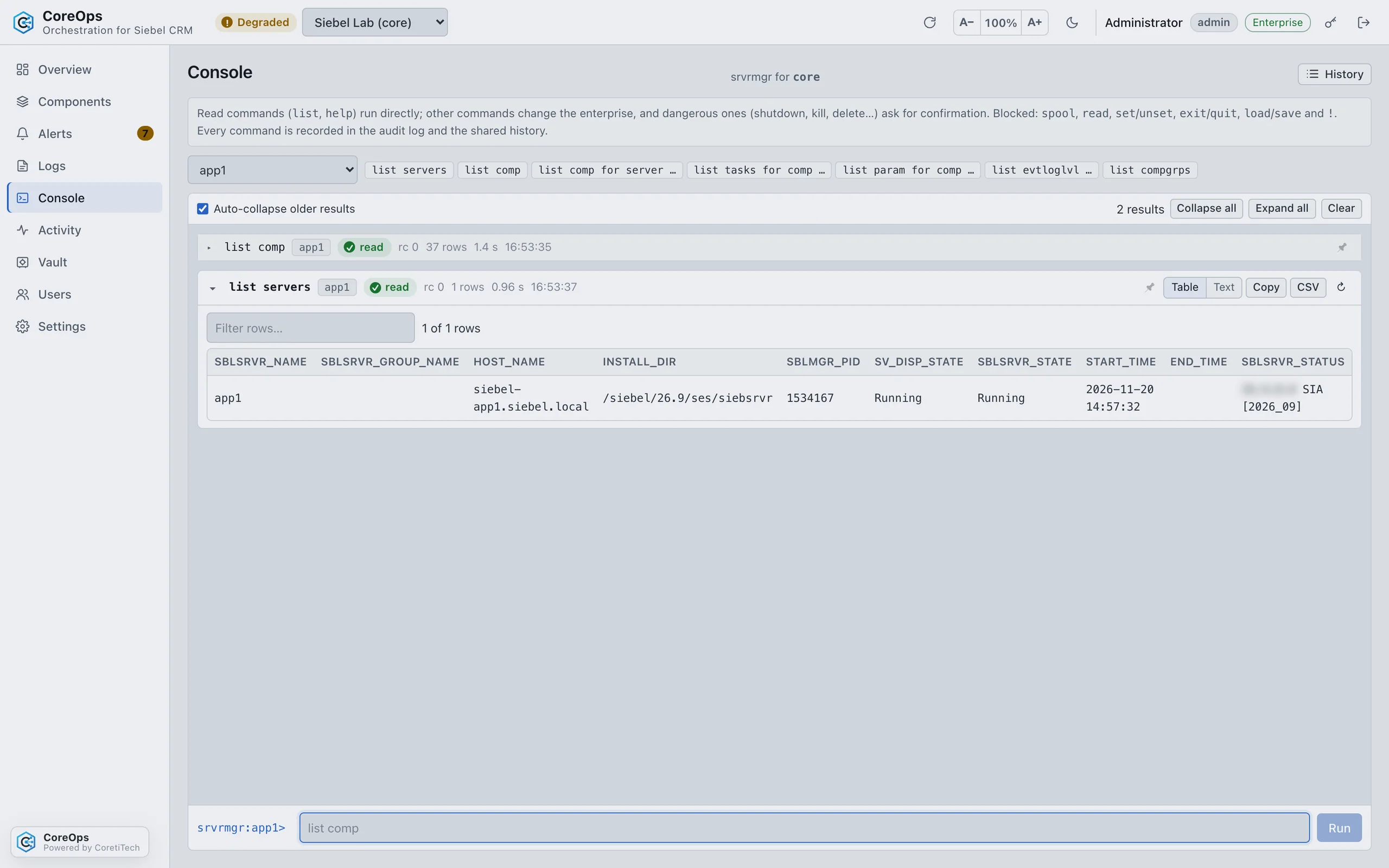
- Server Manager consolesrvrmgr in the browser: read commands run at once, changing commands need the right role and a confirmation.
- Component log levelsTemporary changes that restore themselves automatically. Permanent changes with Enterprise.
- Command lineThe same jobs, permissions and audit trail from a shell or script with the coreops CLI, with JSON output. Linux, Windows and macOS.
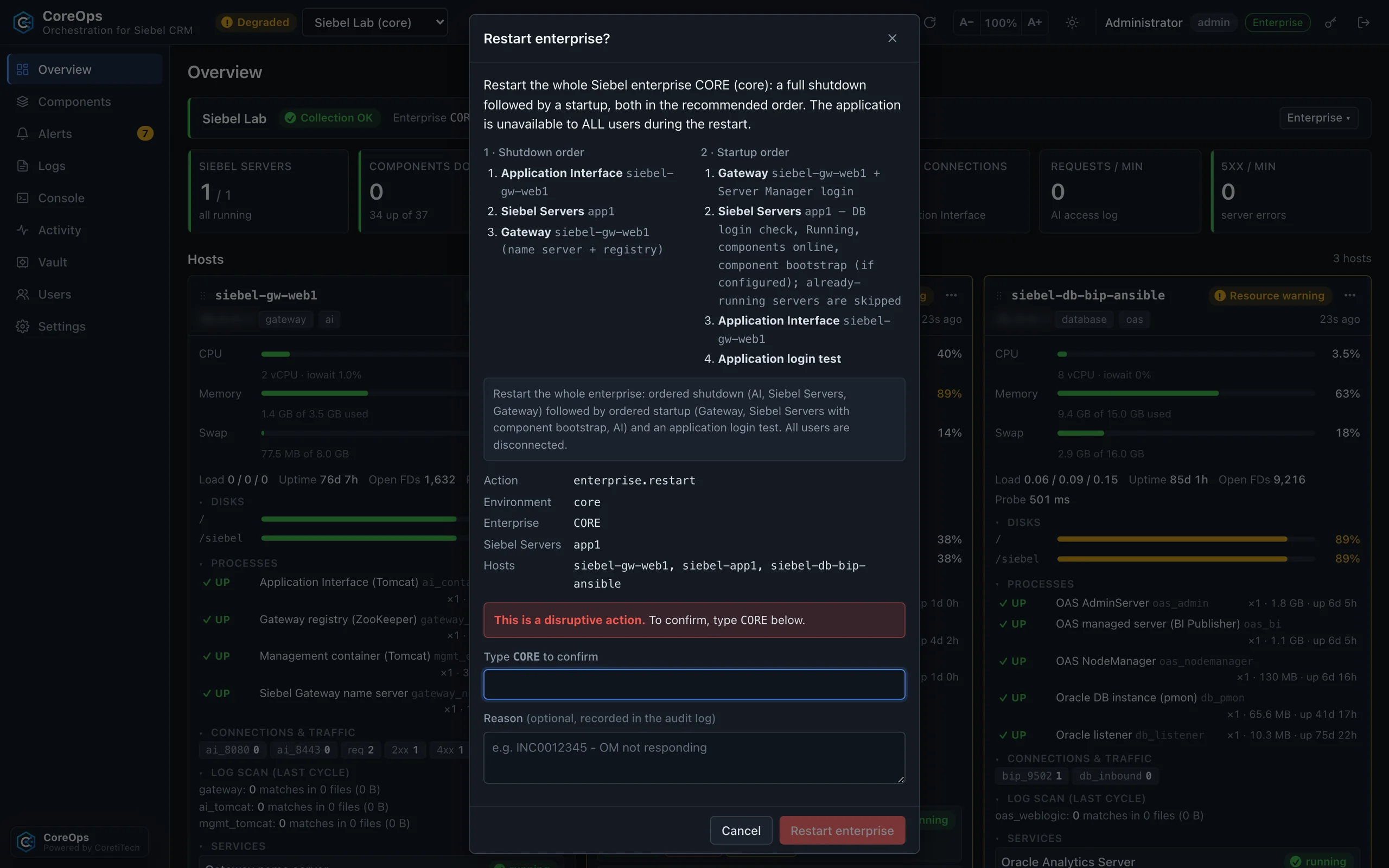
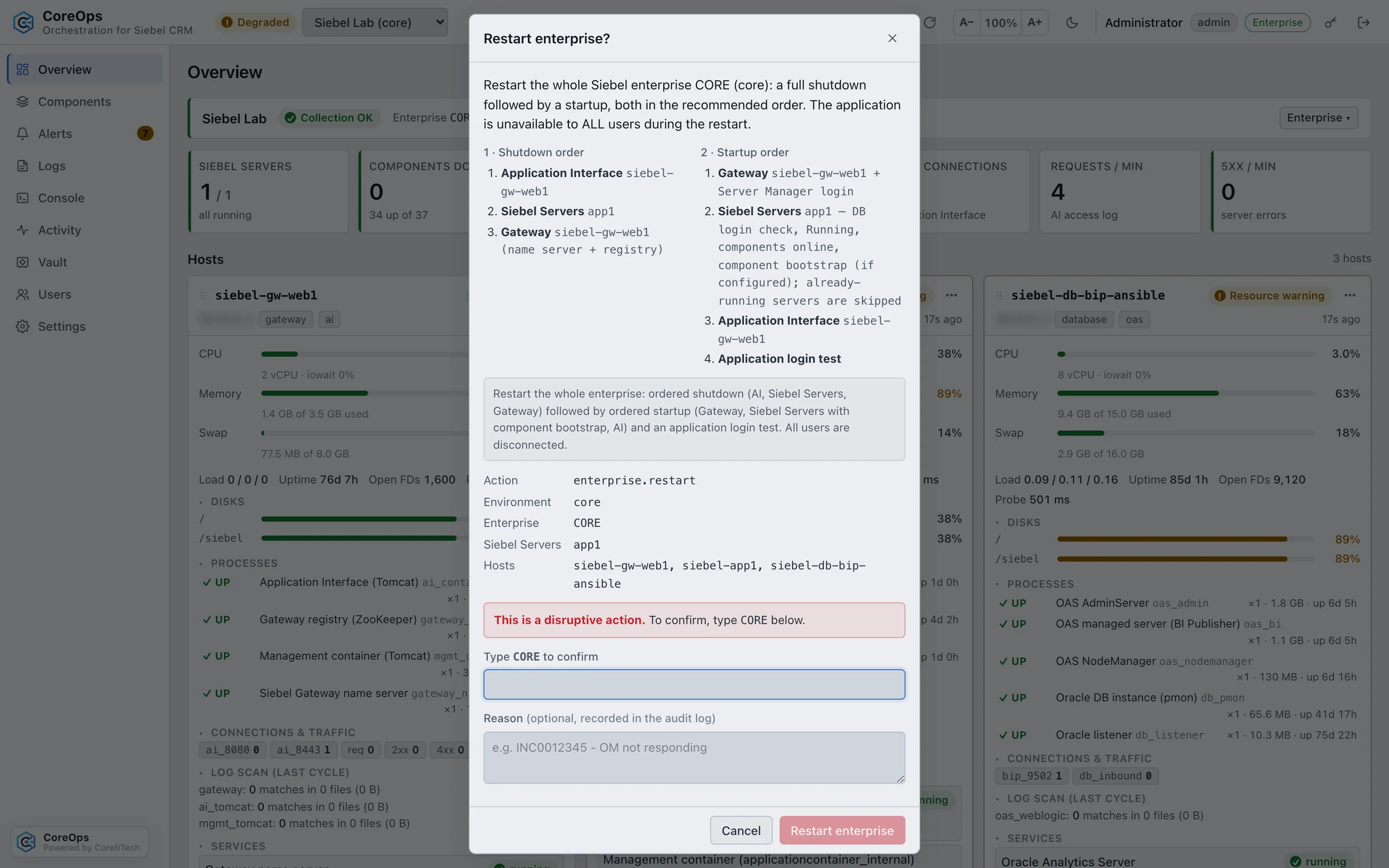
Agentless, least privilege, and every action on record.
- AgentlessConnects over SSH as the Siebel OS user. No root, no sudo, nothing installed on Siebel hosts.
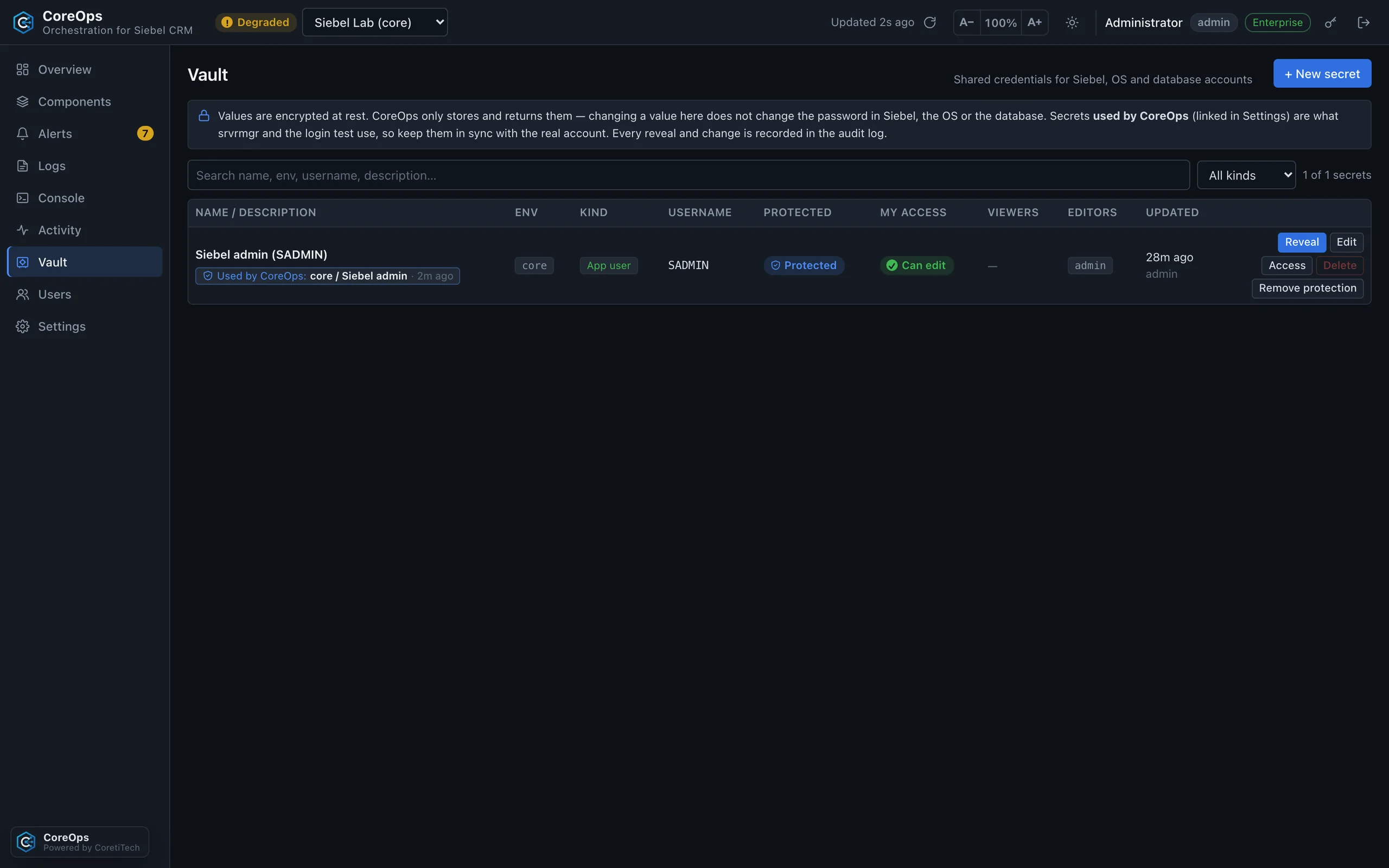
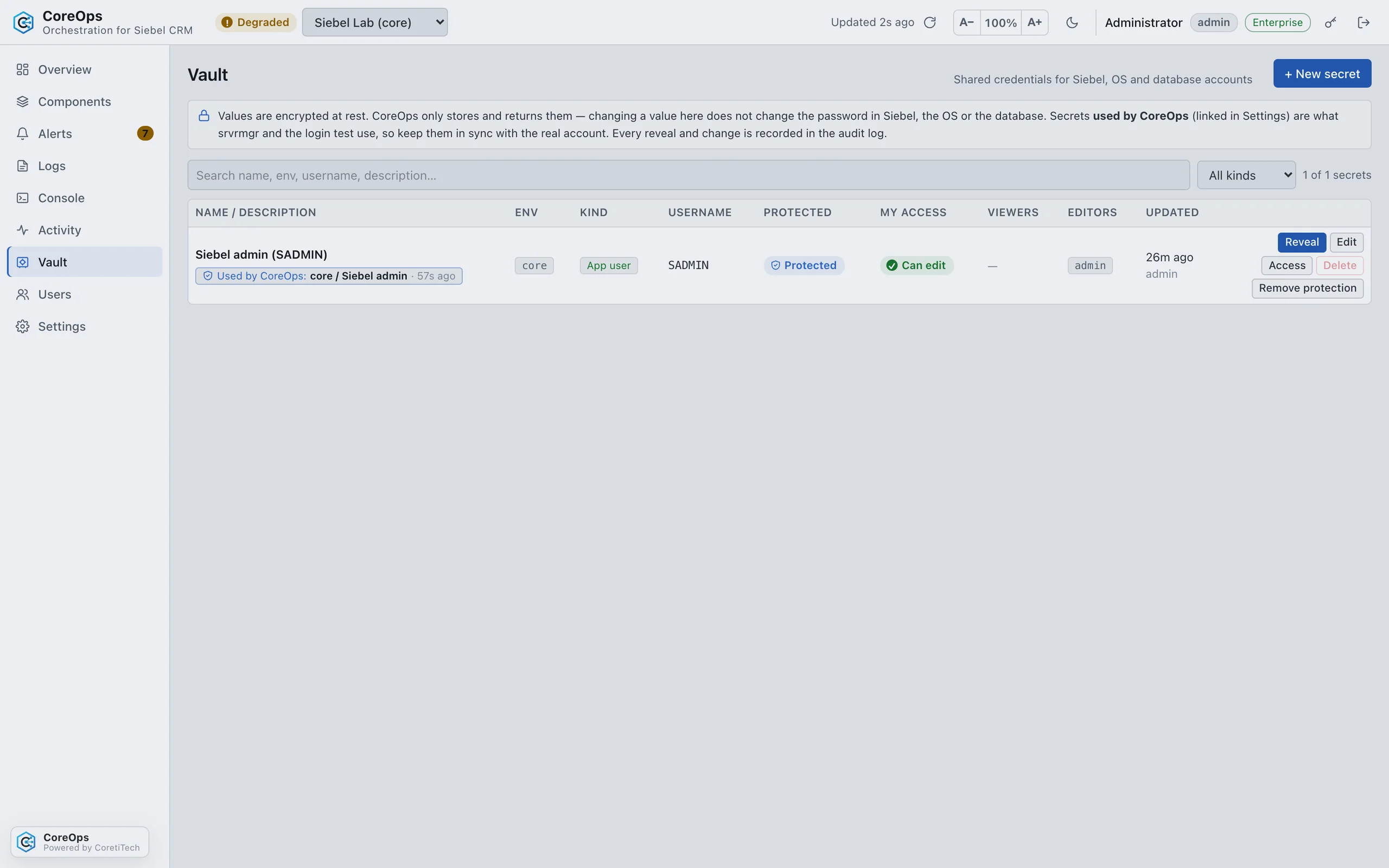
- VaultCredentials are encrypted (AES-GCM) and write-only in the UI. Per-person sharing and protected secrets with Enterprise.
- RolesViewer, support, operator and admin built in. Custom roles, per-environment scope and View as with Enterprise.
- Audit trailEvery sign-in, job, console command and settings change is recorded.
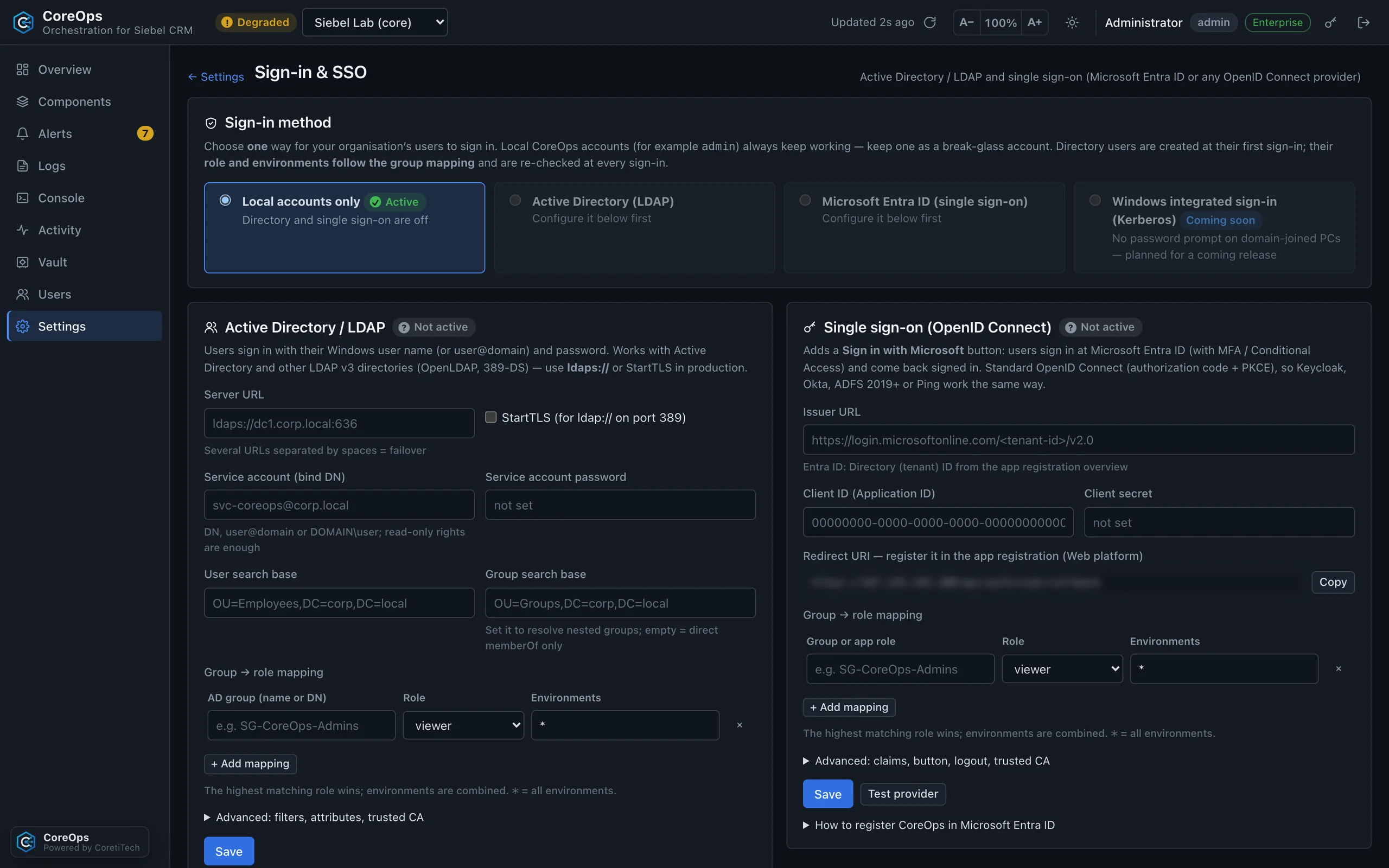
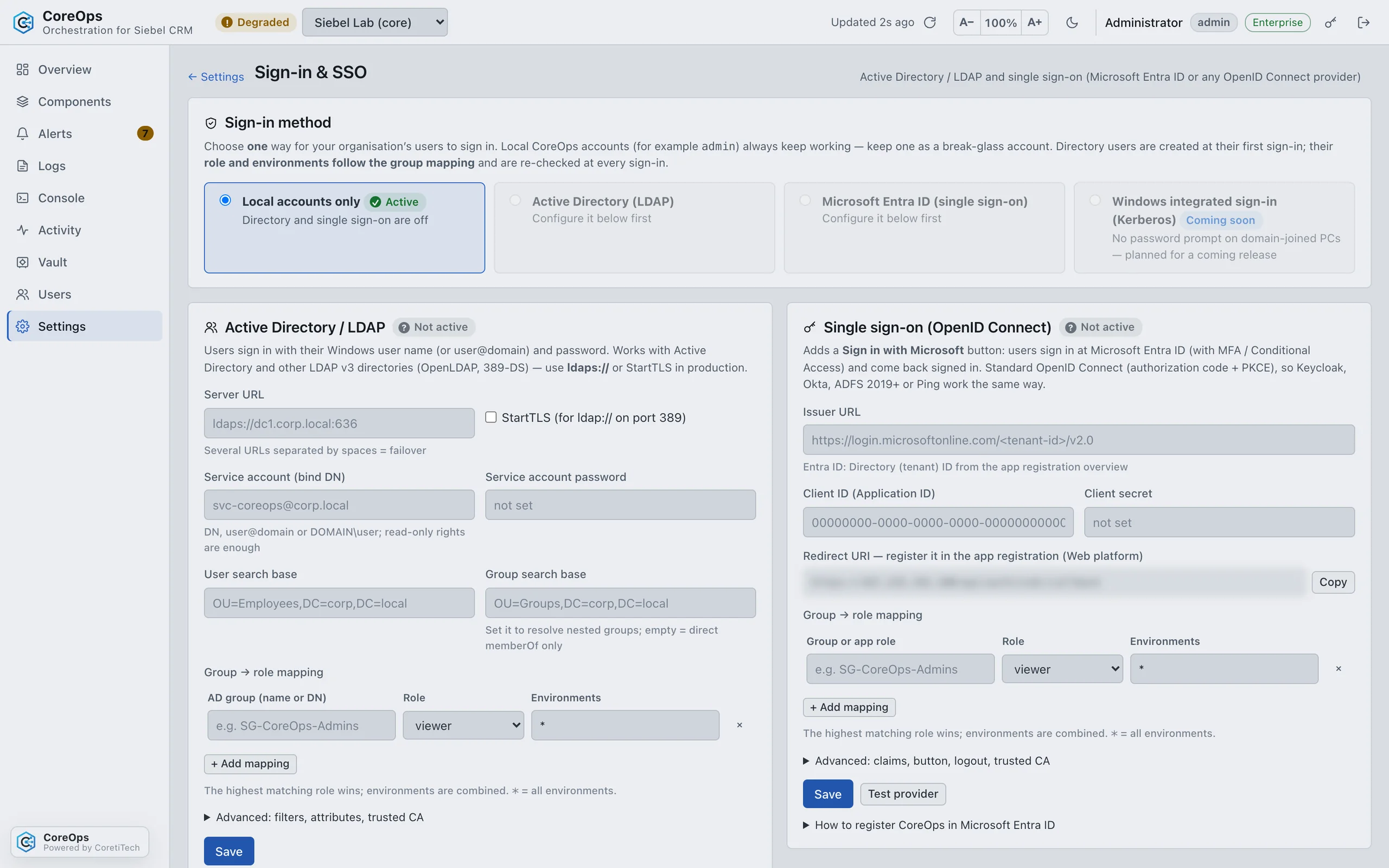
- Company sign-inEnterpriseActive Directory (LDAPS/StartTLS, nested groups), Microsoft Entra ID or any OpenID Connect provider, with group-to-role mapping.
- NotificationsE-mail (SMTP, Microsoft 365) in both editions. Microsoft Teams cards with escalation and daily digests with Enterprise.
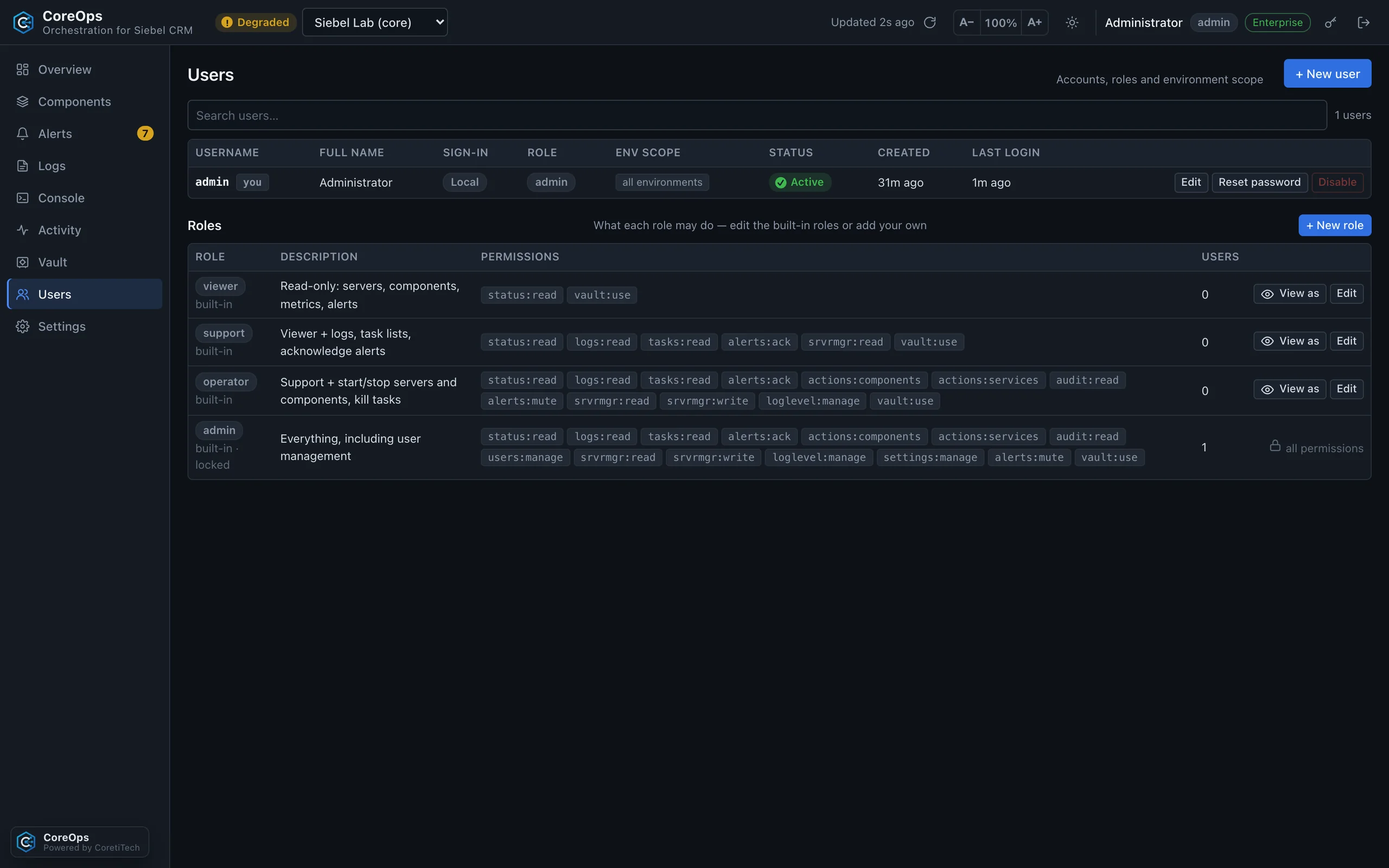
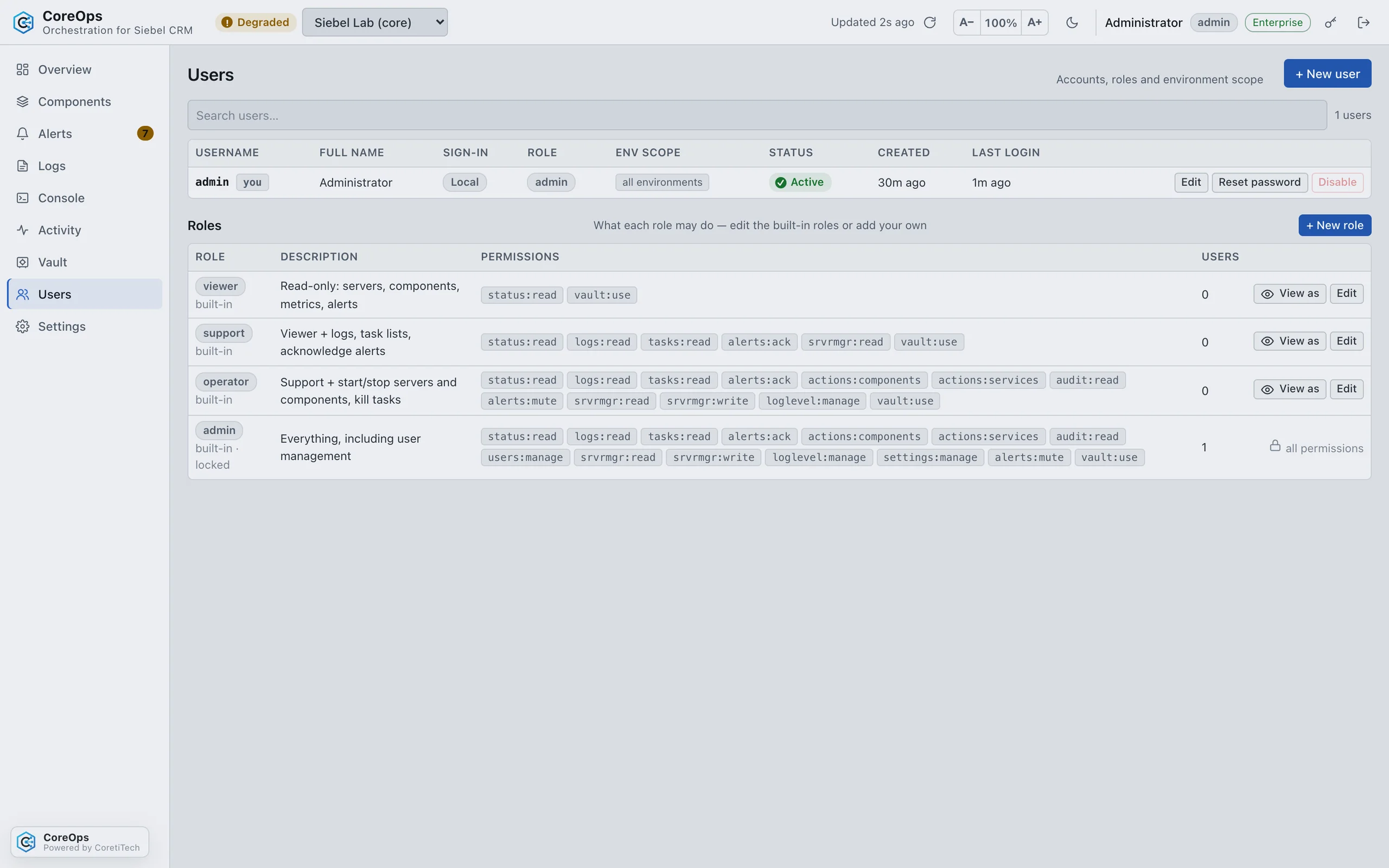
One Linux VM and your PostgreSQL. No Docker, no system Java, no internet access needed.
- Simple installationRHEL, Oracle Linux or Rocky 8–9 with PostgreSQL 12+. The bundle brings its own Java and runs as a systemd service.
- Configuration as codeEnterpriseEnvironments, credentials, sign-in and users in one coreops.yaml.
- Scale-out nodesEnterpriseExtra nodes take over log processing, jobs and collection for large estates.
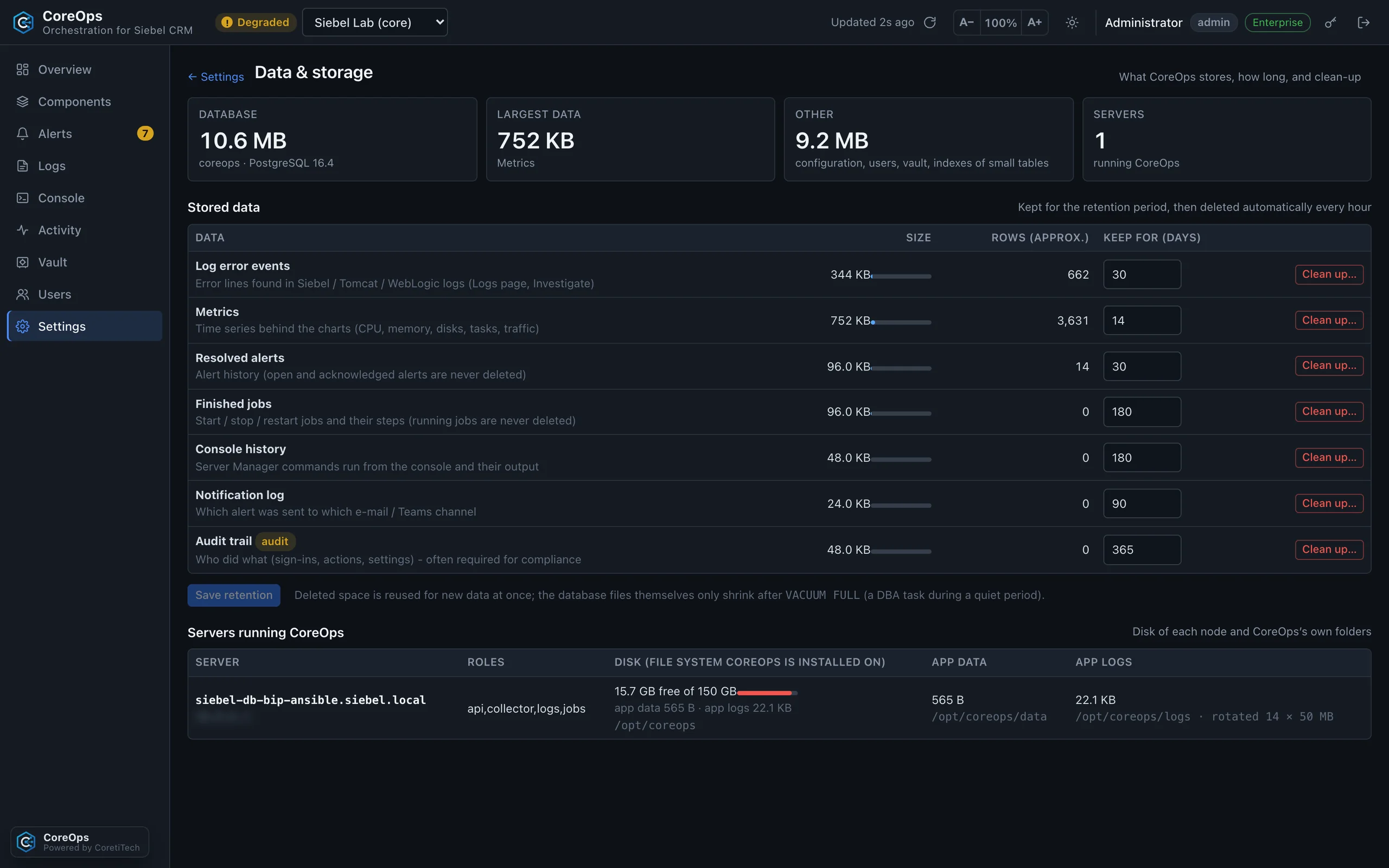
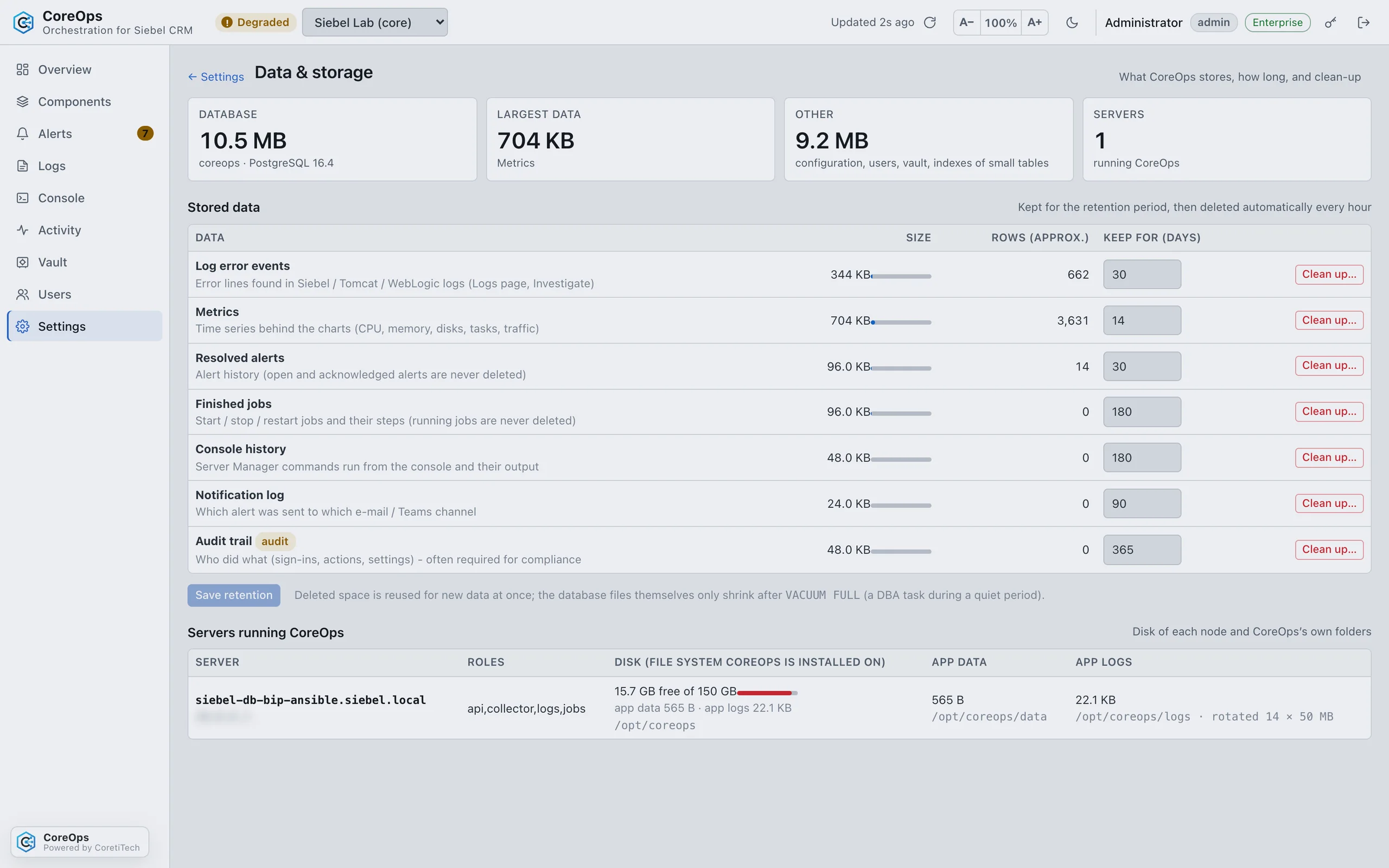
- Data and storageRetention and size per data type, visible and adjustable.
- Light and dark modeIn every edition. Customer themes (your branding) with Enterprise.
A closer look
Free and Enterprise
Start with the Free edition on one environment. Move to Enterprise by activating a license in Settings: no reinstall, data and settings stay.
Enterprise
Every environment and server, company sign-in, orchestration and support with SLA. Subscription, trial or perpetual.
Contact sales| Feature | Free | Enterprise |
|---|---|---|
| License | None needed | Subscription, trial or perpetual |
| Environments | 1 | As licensed (default unlimited) |
| Siebel servers per environment | Up to 3 | Unlimited |
| Monitoring, alerts, Investigate, log viewer | ✓ | ✓ |
| Component, task and single-server operations | ✓ | ✓ |
| Command line (coreops) | ✓ | ✓ |
| srvrmgr console | Read commands | Read and write commands |
| Temporary log levels (auto-restore) | ✓ | ✓ |
| Permanent log levels | – | ✓ |
| Vault for credentials | ✓ | Plus per-secret sharing and protected secrets |
| Roles and audit trail | Built-in roles, 30 days of audit | Custom roles, environment scope, View as, full retention |
| Notifications | E-mail, Microsoft Teams, escalation, digest | |
| Local sign-in | ✓ | ✓ |
| Active Directory / LDAP sign-in | – | ✓ |
| Microsoft Entra ID / OpenID Connect SSO | – | ✓ |
| Whole-enterprise restart, OAS multi-node, component bootstrap | – | ✓ |
| Alert rules, mutes and maintenance windows | – | ✓ |
| Custom log folders | Standard Oracle folders | Per environment or per server |
| Configuration as code | – | ✓ |
| Scale-out nodes | – | ✓ |
| Customer themes (branding) | – | ✓ |
| Light and dark mode | ✓ | ✓ |
| Support | Community / best effort | With SLA |
Get CoreOps Free
Register and we e-mail you a personal download link, valid for 24 hours. The bundle includes the installation guide.
- 1RegisterTell us who you are. We e-mail you a personal download link, valid for 24 hours.
- 2DownloadOne bundle with its own Java runtime, plus a SHA-256 checksum file.
- 3InstallCheck and unpack it, then run the installer once as root. CoreOps starts as a systemd service.
- 4Connect SiebelAdd your environment, store the Siebel admin account in the vault, authorise the key on each host and click Test connection.
Download CoreOps Free
From download to live monitoring
From download to live Siebel monitoring in about three minutes: prerequisites, download and checksum, the one-command installer, first sign-in, environment, vault, onboarding and test connection.
| CoreOps VM | RHEL, Oracle Linux or Rocky 8 or 9 (x86_64), 4 vCPU, 8 GB RAM, 30 GB disk |
|---|---|
| Database | PostgreSQL 12 or newer (about 5–20 GB) |
| Network | HTTPS 443/8443 in; SSH 22 to the Siebel and OAS hosts; the PostgreSQL port to the database |
| Siebel hosts | Linux with SSH; the Siebel OS user accepts the CoreOps key. No root, no sudo, nothing installed |
Questions
Our Siebel logs are not in the default folders.
With Enterprise you set the log folders per environment or per server in Settings (or in coreops.yaml). Test connection shows whether files are found.
How do we move from Free to Enterprise?
Activate a license in Settings → License. There is no reinstall; data and settings stay where they are.
What happens when an Enterprise license ends?
Every user is warned 30 days before the end date. Afterwards CoreOps continues as Free: paid features are locked, nothing is deleted, and a new license restores everything.
Do renewals lose days?
No. A renewal activated before the end date adds its time to the current end date.
Is anything installed on our Siebel servers?
No. CoreOps connects over SSH as the Siebel OS user; it needs no root, no sudo and no agent.
More environments, company sign-in, orchestration?
Tell us about your Siebel estate and we will set up an Enterprise trial.
Oracle and Siebel are registered trademarks of Oracle Corporation and/or its affiliates. CoreOps is an independent product and is not affiliated with, sponsored or endorsed by Oracle.